

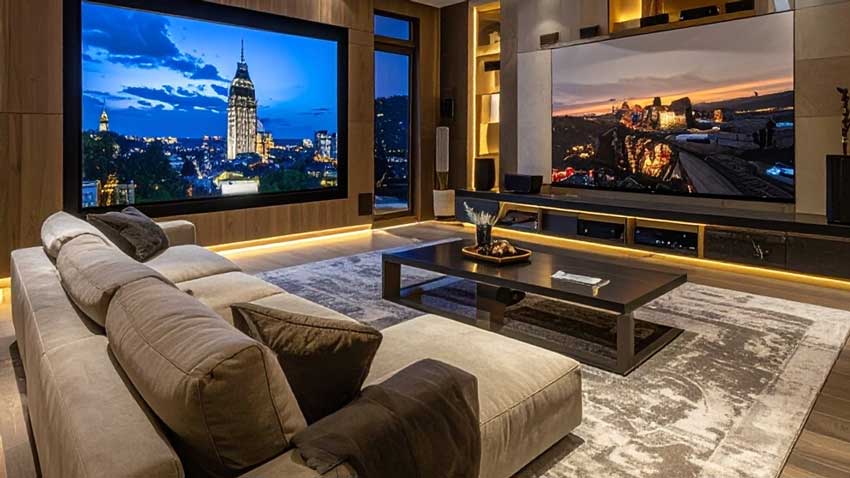
Planning a Home Theater Around a Wall of 4K Discs and SteelBooks
A shelf of 4K discs says something about how you watch movies. You bought the physical copy for the full-bitrate picture, the lossless soundtrack, and the pleasure of a SteelBook sitting next to its neighbors. A room that does those discs justice takes planning before anyone picks up a drill. This walkthrough covers the decisions in the order they tend to come up, so the finished room matches the way you actually watch.
What Does an AV Contractor Do When You Want a Home Theater in Mesa?
An AV contractor designs, wires, installs and calibrates the audio, video and control systems in a house so that they behave as one system instead of a pile of separate boxes. Amp AV is an AV integrator and low-voltage contractor based in Mesa, Arizona, serving Arizona and the greater Phoenix metro, and the work it lists runs from home theater installation to multi-room audio and video, networks, home control, centralized lighting and automated shades. That range matters for a theater, because a good room touches nearly all of those trades.
The first step is a survey. Walk the space with the installer, show them where the screen wants to live, and let them look at the walls, ceiling, attic access and panel locations. The homepage at amp-av.com lays out home theater installation alongside the rest of that list and notes that both onsite and showroom appointments are available, and Amp AV says its surveys and assessments are complimentary, even when a home is already prewired. It also says its sales consultants are experienced technicians, so the person describing the plan has hands-on knowledge of the install.
What comes out of the survey should be a written Scope of Work. Amp AV provides one with every quoted project, spelling out exactly what is being installed. For a disc collector, that document is where you confirm the things you care about: that the signal path carries lossless audio from the player to the speakers, that the display wall has the connections it needs, and that the rack has room for a second player if the collection ever pushes you toward one.
How Far Should You Sit From the Screen?
Sit close enough that the image fills a generous part of your field of view and far enough that you see a picture instead of pixels. 4K resolution lets you sit nearer than older formats allowed, and many film fans like the closer end of the range because a well-mastered disc starts to feel like a screening. Choose the primary seat first, then size the screen to suit it. Picking a screen from a catalog before the seat has a location is a frequent reason a finished room feels slightly off.
Wall dimensions and ceiling height set the limits. A tall image needs a ceiling that leaves the bottom edge high enough to see from the back row, and a second row on a riser changes that math again. If the plan uses a projector, its mounting spot, throw distance and cable path have to be settled before the ceiling is closed. A living-room theater has the same questions with extra constraints, since the screen often shares a wall with a fireplace, windows or a doorway, and the seating is a sofa that other people also use.
Where Do the Speakers and Prewire Go?
Speaker positions follow the room's geometry and the soundtrack format you want to play, and the cable to every position has to exist before the walls are finished. CEDIA, the trade association for residential technology professionals, produces ANSI-accredited standards and best practices for the industry, including RP-22 on immersive audio design, which is the kind of reference a designer can use when laying out surround and height positions. For a collector who owns lossless, object-based discs, those extra positions are worth deciding on early, because adding a ceiling speaker after paint is a much bigger job than adding one before. A solid theater prewire list usually covers these runs:
- Speaker cable to every surround, height and subwoofer position
- A clear path from the equipment rack to the screen or projector
- HDMI and network lines to the display wall
- Low-voltage lines for keypads, sensors and shades
- Power outlets at the rack, the screen and the projector
Existing homes are often closer to ready than owners think. The company's FAQ lists the tell-tale signs of prewire: a wire bundle or blank cover plate below the TV location, and blank rectangular plates on walls or ceilings. Living rooms commonly have 5 or 7 of those locations, bedrooms and dens often 2, and patios 2 or 4.
Where there is no prewire, its technicians retrofit wiring by fishing wire through walls, and wall and ceiling damage can usually be avoided. Flat-roof homes with no attic access are the exception, since retrofitting can become too costly there, and in those cases the company installs wireless audio systems such as Sonos or VSSL instead. The table below shows how priorities shift by room type.
|
Setup |
Main planning concern |
Prewire focus |
|
Dedicated room |
Seating tiers and sound isolation |
Speaker runs and projector path |
|
Living-room theater |
Blending screen and speakers into the decor |
In-wall and in-ceiling runs |
|
Open-concept space |
Light and sound spilling into other areas |
Zoned control and network |
|
Finished home retrofit |
Reaching through existing walls |
Survey of existing plates |
What Belongs in the Equipment Rack?
Anything that produces heat, needs cabling or has to stay reachable belongs there: the disc player, the processor or receiver, amplification, network gear and power protection. Ventilation and run length are the planning questions, since a rack in a closed cabinet runs hot and a rack too far from the screen complicates every cable. Fan noise is also easier to ignore from the next room than from beside the sofa. Leave open space for equipment you do not own yet, because collectors tend to upgrade a player or add a second one.
The disc shelf deserves the same attention. Put it within arm's reach of the primary seat, make sure the shelving can carry a growing collection, and keep it away from direct sun, which is hard on spines and cases. Decide early whether the player lives in the rack or on a shelf near the seats, since it is the one component you will touch every movie night.
How Do You Control Light in the Room?
Light control works best in layers: block outside light, manage what is inside the room, and put it all on one set of controls. As of fall 2026, a sound plan treats light as part of the build, not a patch applied after the first washed-out screening. Automated shades handle windows and glass doors, which matters in a sunny Arizona home where an afternoon matinee can fight a bright wall of glass.
Inside the room, centralized lighting lets you save scenes for arriving, playing and pausing, so the sconces fade without anyone reaching for a switch. Darker wall and ceiling finishes near the screen cut reflections, which is easiest to choose while the plan is still on paper. If the household also wants multi-room audio and video control, Control4 or Savant are the systems that typically fit and can fold the theater into one interface.
Before the Drywall Goes Up
Many theater regrets begin as a decision that could have been made while the walls were open: a missing conduit, a speaker position nobody planned, a window that was never covered. Walk the room with an installer, ask how the plan lines up with CEDIA's best practices, get the layout in writing, and test every line of it against the discs you actually watch. Do that, and the first night with a favorite SteelBook on the shelf and a lossless track filling the room will be the one you pictured.